
- To Install ffmpeg on ubuntu
sudo apt-get update
sudo apt-get install ffmpeg
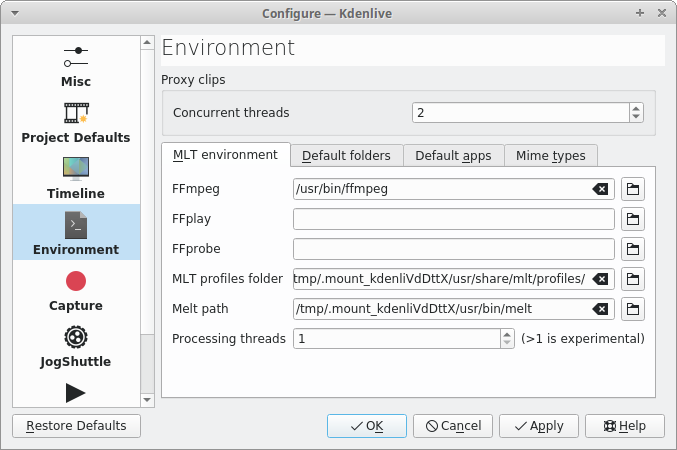
- Add path to Kdenlive:
Settings -> Configure Kdenlive
or
Use the default short Control + Shift + ,
- Click on Environment Tab
Add the binary path of ffmpeg.
Note: To find where ffmpeg has been installed in your machine.
whereis ffmpeg
Error tag: Cannot process job. FFmpeg not found, please set path in Kdenlive’s settings Environment
 fossindru
it is not: where is ffmpeg
it is: whereis ffmpeg
LikeLiked by 1 person
corrected. Thanks mate.
LikeLike